Eventure
A React event app on its own Express API, built in three sprints
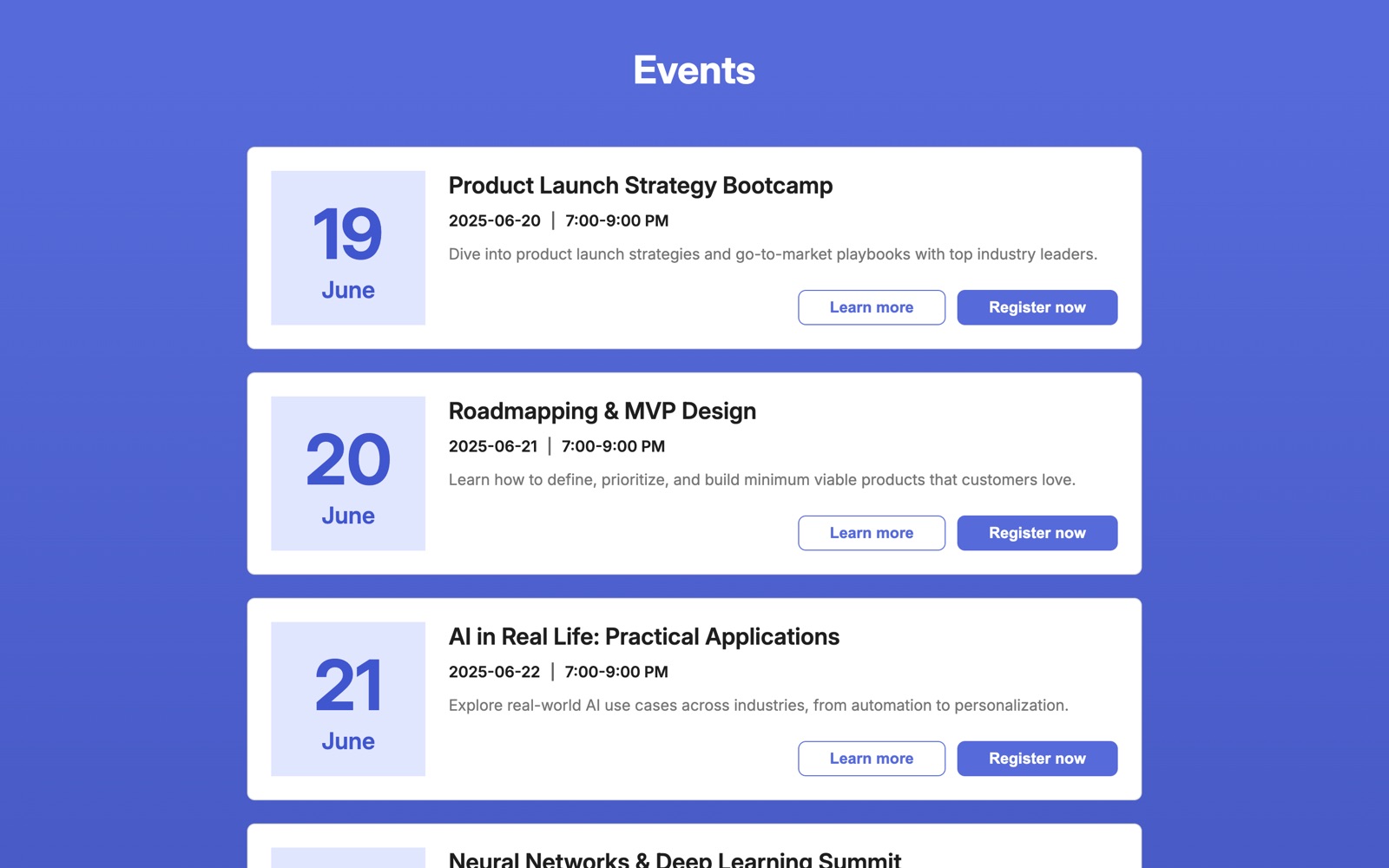
Problem
People need to browse events, register for one or more in a few steps, and later change which events they’re attending, without duplicate sign-ups or the UI drifting out of sync with the data.
My role
Sole developer: event components, React state, routing and data loading, registration and attendance logic, REST API design and JSON persistence.
Outcome
A working client and server: an event list built from my own components, registration that creates or updates attendees, email-based attendance changes sent as minimal diffs, and seven REST endpoints with validation and correct status codes.
- Role
- Full-stack developer (solo): React client and Express API
- Team
- Solo build. Every commit across the four repositories is mine
- Timeline
- Dec 2025 – Feb 2026 · three sprints
- Tools
- React 19, React Router 7, Vite, Axios, Node.js, Express 5, REST APIs, SCSS (BEM), dotenv, Postman, Git & GitHub
- Development
Note. A BrainStation sprint project built on a provided component starter and Figma mockups. The excerpts below are code I wrote (git blame on the repository shows the split). Event and attendee records are sample data. Screenshots are from the project running locally. The live demo stores registrations temporarily, so they reset from time to time.
1. Overview
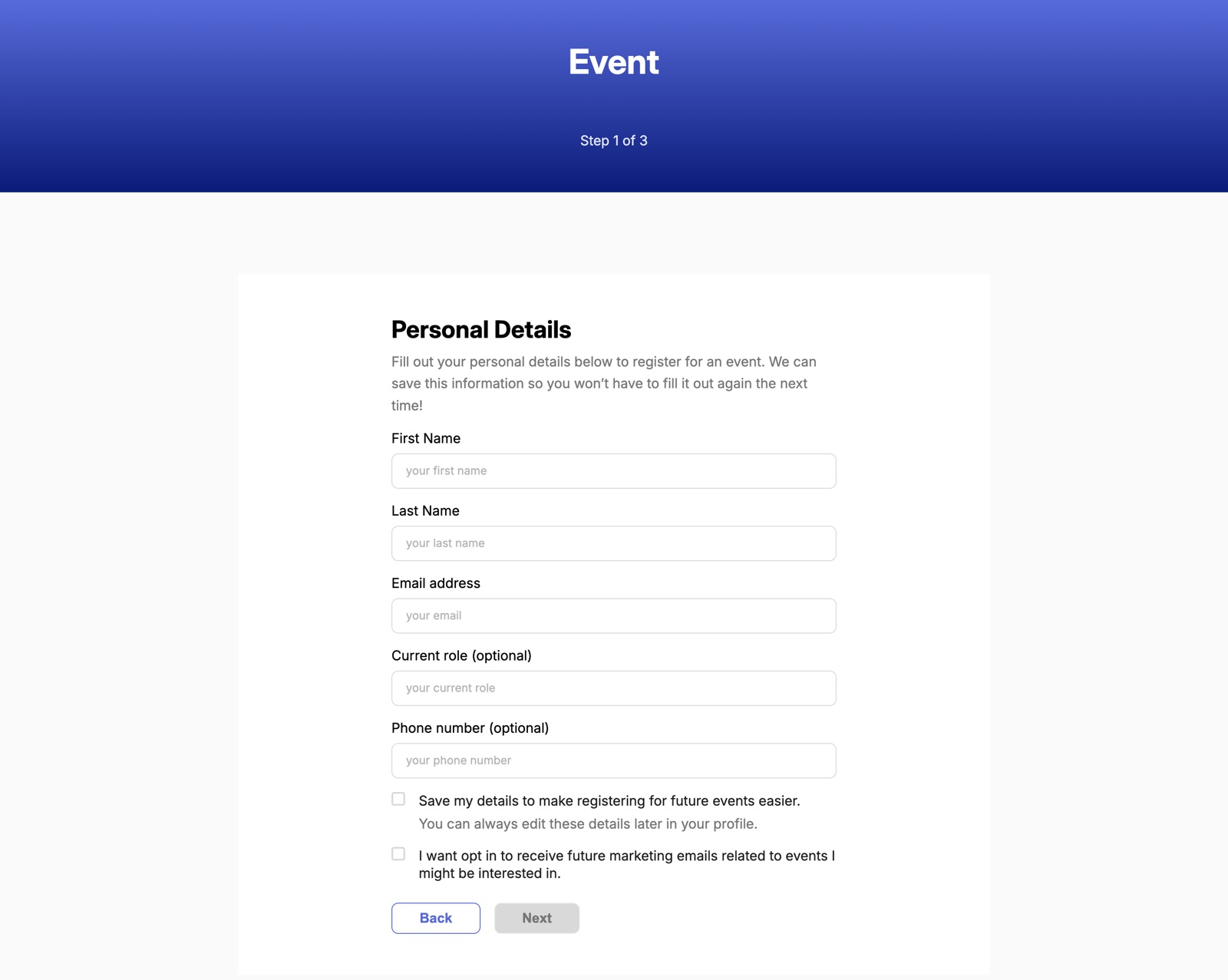
Eventure lets people browse upcoming events, register for one or more of them through a short multi-step form, look up their registration by email to change what they’re attending, and see who else is going.
I built it alone over three BrainStation sprints, each adding a layer: event UI on a provided component starter, then the product flows against a provided mock API, then my own back end to replace that API.
- 1.
Sprint 1: event UI on a starter
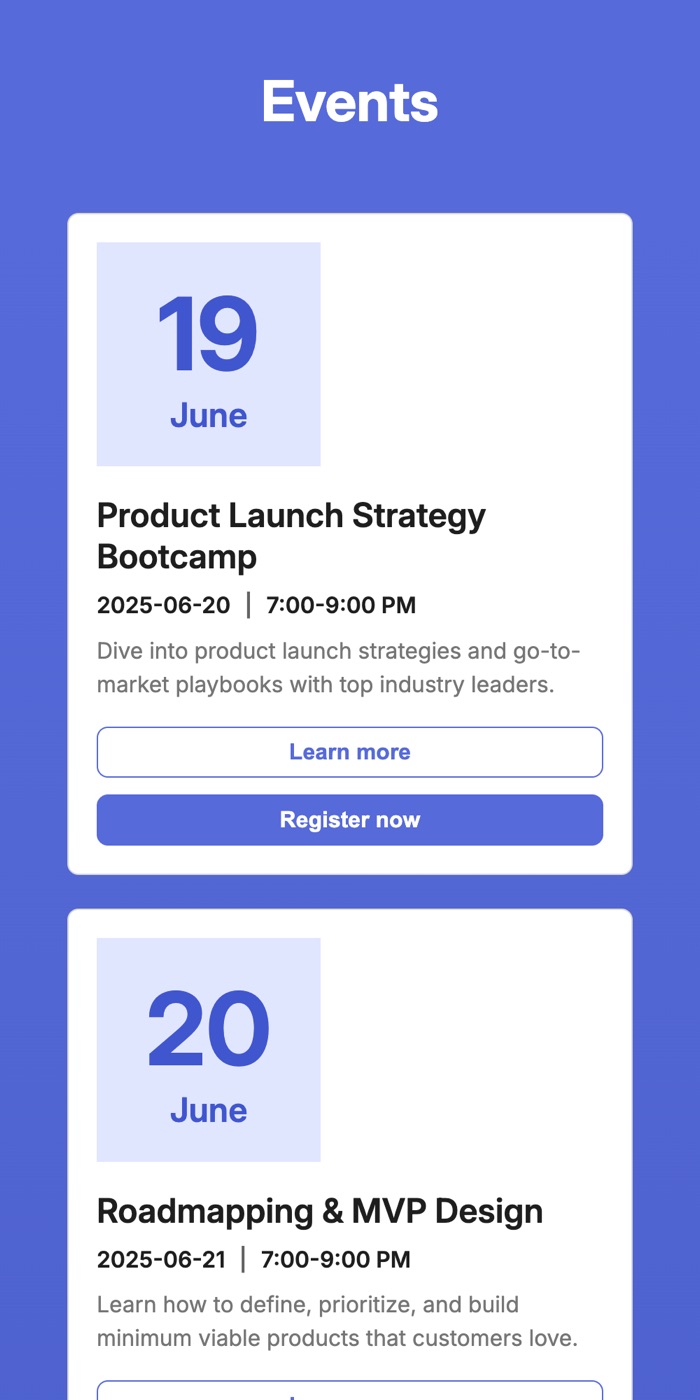
BrainStation provided a component-library starter (form fields, buttons, typography, a docs page). I built the EventCard and EventList components and the Eventure landing page on top of it, and made the cards and buttons responsive.
- 2.
Sprint 2: the product flows
Routing and data loading in App, then the logic behind registration, attendee lists and email-based attendance management, all against the course’s mock REST API with Axios.
- 3.
Sprint 3: my own API
A Node and Express server with seven endpoints and JSON-file persistence that mirrors the mock API’s contract, so the client switched over by changing one base URL. I also fixed the sprint 2 feedback, a card layout that broke between 680 and 900px.
2. Architecture
| Layer | Built with | Responsibility |
|---|---|---|
| Client | React 19, React Router 7, Vite | Routes for events, registration, attendees and manage-events. State is lifted to App and passed down. |
| Data layer | Axios, one API_BASE_URL from env | Parallel initial load with Promise.all; POST and PATCH calls update local state from the server’s response. |
| Server | Node, Express 5, CORS, dotenv | Routers for /events and /attendees, request validation and JSON error messages with the right status codes. |
| Storage | fs/promises, JSON files, uuid | Read and write helpers that return an empty list for a missing or empty file instead of crashing. |
| Styles | SCSS with BEM | My EventCard and EventList styles build on the starter’s variables, breakpoint mixins and pxToRem function. |
| Method | Route | What it does |
|---|---|---|
| GET | /events | All events |
| GET | /events/:eventId | One event, or 404 |
| POST | /events | Create an event (title and date required), 201 |
| GET | /attendees?eventId= | All attendees, optionally filtered to one event |
| GET | /attendees/:attendeeId | One attendee, or 404 |
| POST | /attendees | Register: required-field check (400), duplicate email check (409), 201 |
| PATCH | /attendees/:attendeeId | Change attendance with { add, remove } arrays; rejects empty or malformed updates (400) |
3. Code highlights
src/pages/ManageEvents/ManageEvents.jsxconst nextEvents = Object.entries(attendance)
.filter(([, status]) => status === "attending")
.map(([eventId]) => eventId);
const currentEvents = foundAttendee.attendingEvents || [];
const add = nextEvents.filter((id) => !currentEvents.includes(id));
const remove = currentEvents.filter((id) => !nextEvents.includes(id));
const res = await axios.patch(
`${API_BASE_URL}/attendees/${foundAttendee.id}`,
{ add, remove }
);
// Trust the server's copy, then update the shared list.
onUpdateAttendees((prev) =>
prev.map((a) => (a.id === foundAttendee.id ? res.data : a))
);Instead of overwriting the whole record, the client sends only what changed. The server applies the same add and remove sets, so two views can’t silently undo each other’s changes.
eventure-sprint3-server/routes/attendeesRoutes.jsif (!firstName || !lastName || !email ||
!reasonForAttending || !Array.isArray(attendingEvents)) {
return res.status(400).json({
message: "firstName, lastName, email, reasonForAttending, and attendingEvents (array) are required",
});
}
const attendees = await readJSONFile("attendees");
// Prevent duplicates by email
const exists = attendees.some(
(a) => a.email?.toLowerCase() === email.toLowerCase()
);
if (exists) {
return res.status(409).json({ message: "Attendee already exists" });
}The client also trims and lower-cases emails before searching or posting, so the same person can’t register twice with different capitalisation.
eventure-sprint3-server/utils/readWrite.jsexport const readJSONFile = async (fileName) => {
try {
const data = await readFile(getFilePath(fileName), "utf-8");
if (!data.trim()) return [];
return JSON.parse(data);
} catch (error) {
if (error.code === "ENOENT") return [];
throw error;
}
};4. Engineering decisions
- One source of truth. Events and attendees load once in App (in parallel with Promise.all) and flow down as props. Every write replaces local state with the server’s response, so the UI never shows data the server didn’t accept.
- Step-by-step validation. I wrote the input handlers that validate email and phone as you type and the step logic that blocks moving on until a step is valid, including requiring at least one event.
- No wasted requests. If an existing attendee re-registers without changing anything, the client skips the PATCH; the server rejects empty updates too.
- Configuration through the environment. The client reads its API base URL from Vite env variables; the server reads its port and allowed CORS origin from .env.
- Tested by hand, end to end. Every endpoint exercised in Postman (GET, POST, PATCH), and the flows checked at mobile, tablet and desktop widths.
What I’d do next
JSON files are fine for a sprint but don’t handle concurrent writes. Next steps would be a real database, automated API tests in place of manual Postman runs, and deploying the client and server.
 Next projectCartograResponsive layouts and a validated booking flow for a travel site